
How to Restore a Backup

Log into your cPanel

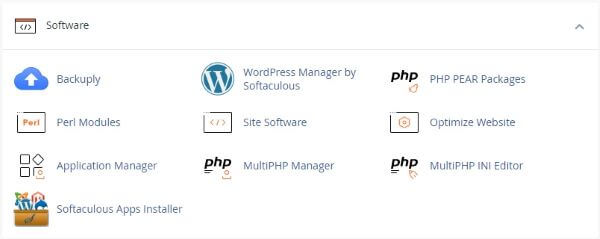
Click the Softaculous link in the Software section.


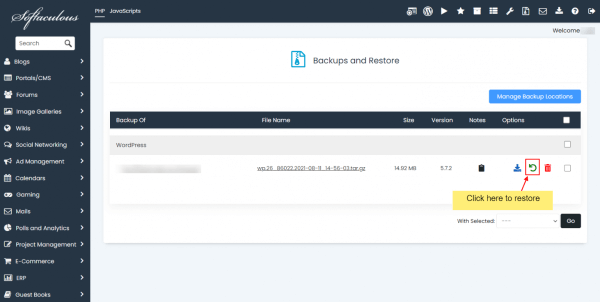
Click the Backup link, on the top right. The restore option is located in the list of backups.


Click on “Restore Installation” button to restore the backup.

A progress meter will appear to show how much time is left with the restoration process.
When it has finished, you will see a message stating “Your backup has been restored successfully.”

  • 0 Users Found This Useful
Was this answer helpful?

Related Articles

Edit Settings

Softaculous Edit Settings Icon User Settings WordPress Plugin / Theme Sets IconShows what Themes...

Email Settings

How to Change Your Email Settings in Softaculous Log into cPanel and then click the Softaculous...

Importing WordPress or Apps into Softaculous

The Import Installations feature in Softaculous will help you to import a installationSuch as...

Installing A Script With Softaculous - WordPress

Installing a Script with Softaculous. Our example is WordPress which is a popular blogging...

Script Demos

How To Demo a Script Before Installing With Softaculous Script Demos You may view any script...