
Manage Your Account Settings
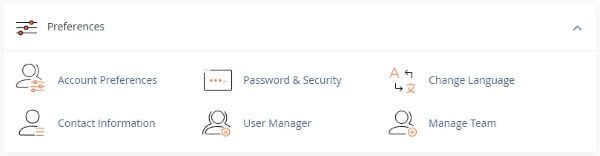
Use this interface to update your account preferences, including privacy options and account type.

Consent and Privacy
This section allows you to opt in or out of **Interface Analytics**.
- By default, the Interface Analytics plugin is installed but **not enabled**.
- Both the **server owner** and **individual users** must enable the plugin for data collection to begin.
- Data is only collected based on settings chosen at both the server and account levels.
Account Type
Specify whether your account is for an **individual** or a **business**:
1. Choose your preferred type from the **Account Type** menu.
2. Click **Save Changes** to apply your selection.
| Server level | Account level | Interface Analytics |
|---|---|---|
| Yes | Yes | Enabled |
| Yes | No | Disabled |
| No | Yes | Disabled |
| No | No | Disabled |
To enable Interface Analytics, select the Allow Tracking checkbox. To disable Interface Analytics, clear the checkbox. Then, click Save Changes.
System Notifications
This function sets where on the screen that system notifications appear. To change the location of your system notifications, select a location from the menu and click Save Changes.
Note:This setting applies to every page on which a notification appears. The location of system notifications defaults to the top right of the screen. The middle-middle selection will create an overlay for the screen. Press Esc or click the X icon to close the notification.
Change language
To change your cPanel interface’s language, perform the following steps:
Select the language that you wish to use from the Language menu.
Click Save Changes. A success message will appear.
Supported languages
Multi-Lingual Translations
Arabic
Azerbaijani
Catalan
Chinese
Croatian
Czech
Danish
Dutch
Estonian
Farsi
French
German
Hebrew
Hungarian
Italian
Macedonian
Norwegian
Portuguese-br
Portuguese-pt
Romanian
Russian
Spanish
Swedish
Turkish
Ukranian
*Note:* Legacy locales are deprecated. See the [cPanel Deprecation Plan](https://docs.cpanel.net/) for more details.