
The WordPress Manager feature is a utility to Manage all your WordPress installation in one place.
WordPress Manager allows you to update several settings for your WordPress installation without even having to login to WordPress admin panel.
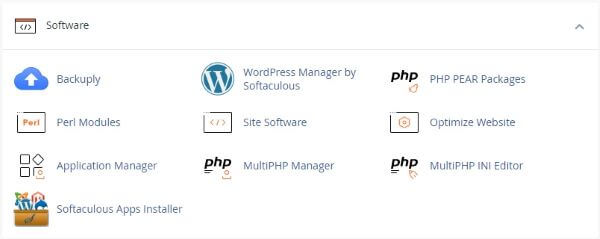
WordPress Manager
Many developers find the Softaculous WordPress manager easier to use than cPanel because it is very concise and easy to navigate. Everything is exactly where you would expect it to be, so there’s no confusion.
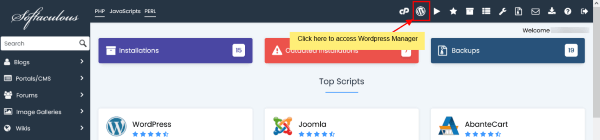
In order to access WordPress Manager you can click on the “WordPress” icon in the upper right corner of your Softaculous end user panel as shown in the below screenshot.
For complete information see Softaculous Documentation pages
Accessing WordPress Manager
Auto Login to WordPress admin panel
Upgrade Installation
Auto Upgrade Core Settings
Auto Upgrade Plugins/Themes Settings
Enable/Disable Search Engine Visibility
Enable/Disable WordPress CRON
Enable/Disable WordPress Debug Mode
Change Website URL
Change Site Name
Change Password
Manage Plugins
Installed
Add Plugins
Upload Plugin
Manage Themes
Installed
Add Themes
Upload Theme
Add User