
Uploading via FTP with File Explorer in Windows.
To upload files via the integrated Microsoft File Explorer in Windows, follow these steps:
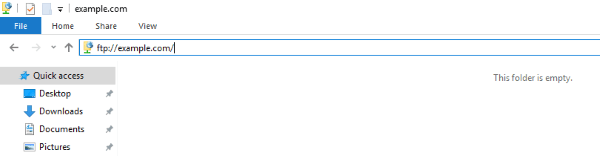
1. Launch File Explorer. You can do this via the Windows start menu or by clicking the File Explorer's icon on your screen.
2. Click on the address bar, and type:
ftp://domain.com
Be sure to replace "domain.com" with your domain name.
If you want to upload files to a subdomain, the address would be:
ftp://domain.com/the_name_of_the_subdomain
3. You will be prompted to log in. In the "Username" and "Password" fields, you need to specify the FTP login details you want to connect with. Normally, you would want to connect with your main Control Panel username/password pair. If you want to connect with an FTP subuser that you previously created at your Control Panel's FTP Manager section, you need to specify the login details for that particular user. Then click Log On.
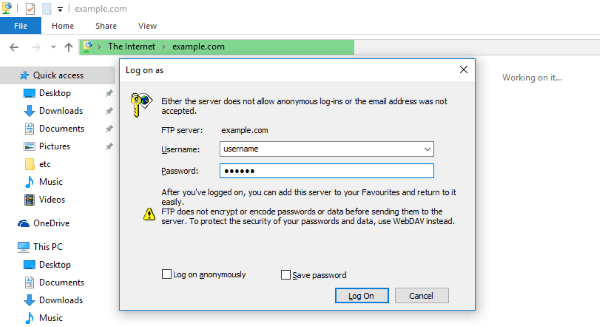
4. Once logged in, you will see a directory listing. You can browse through your site structure, and you can upload, download, delete, or rename files and directories. To upload files from your local computer, you can open a second File Explorer window, browse to the files you want to upload, select them, and then drag-and-drop them into your FTP-connected File Explorer.
5. To log out, simply close the File Explorer window